For clothing brands and online stores
Product photos into on-model pictures.
A flat or a phone photo of the garment is enough. Tarzi puts it on a model, frames a six-shot photoshoot in one light and one setting, and makes a short film with sound for your store and your social accounts — without booking a studio for every drop.


What you get
From product photo to worn
Upload the garment photo; it stays the authority for cut, colour and print. The model, the setting and the light come from your description or from a preset.
One look across the collection
Six frames per design with the same model and setting, so a collection page reads as one shoot. Across designs, supply the same model photo to keep the face.
Films for the feed
Five- or ten-second films with sound from a finished image, in the picture's own aspect ratio — portrait images give portrait films for Reels and TikTok.
How it works
Upload the garment photo
Flat, on a hanger or on a mannequin. Plain backgrounds work best.
Describe or pick the look
Model, setting and light in a sentence, or a preset. Add your own model's photo to keep one face.
Shoot six frames
Same model, same garment, one setting. Check prints and small details; fix any with an area edit.
Download and publish
Originals as generated — PNG for images, MP4 for films — for the product page, the ads and the feed.
Examples from the studio
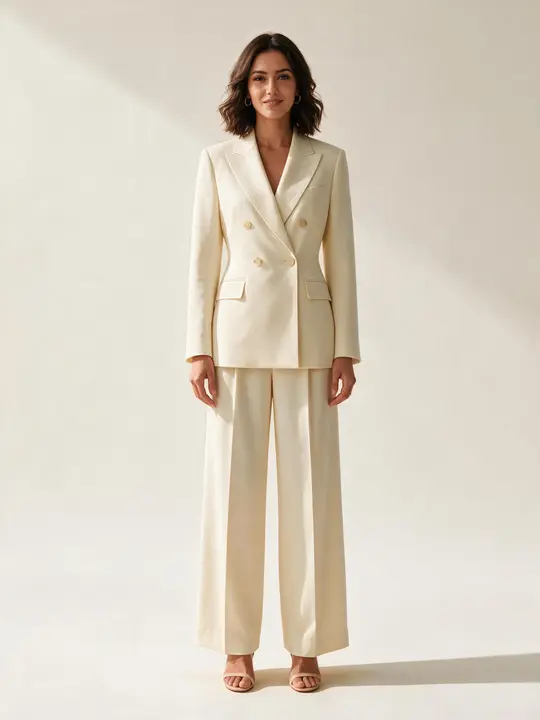
An ivory blazer from a phone photo 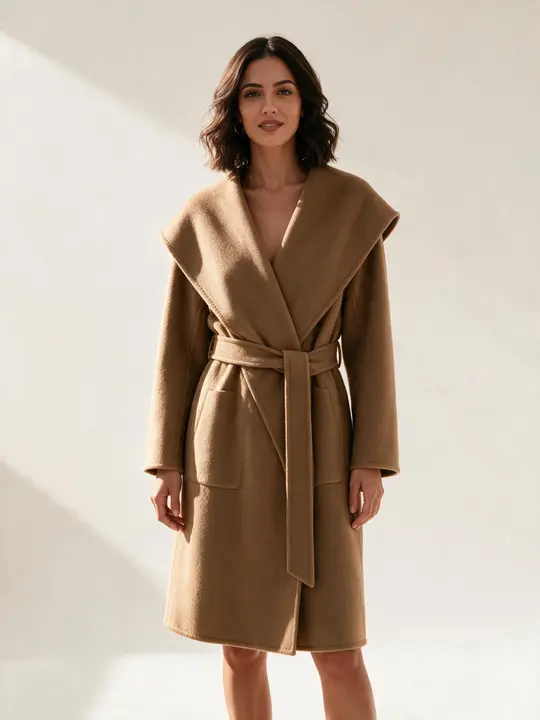
A camel coat in the same framing 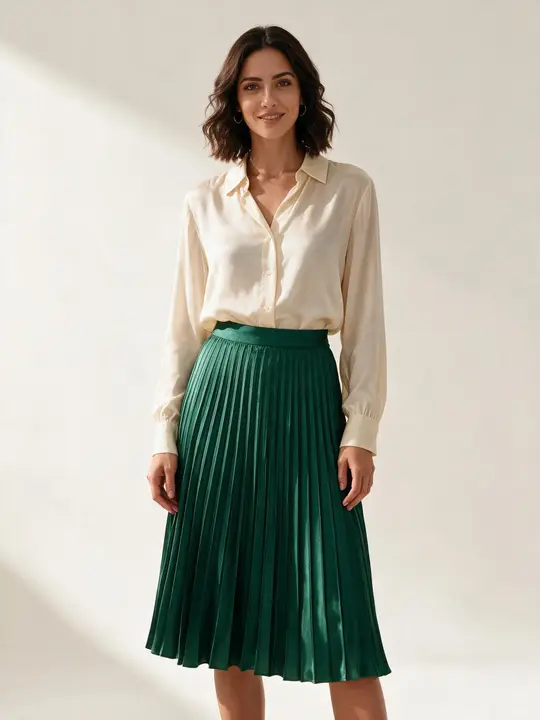
An emerald set, same model and light


Every picture on this page is Tarzi output made for the showcase, not customer work. Your own results depend on your references and your description.
What to expect
Generated pictures are illustrations of the product. Check prints, logos and fastenings before publishing; an area edit corrects a detail without touching the rest.
Each run is different. The same face across designs needs the same model photo as a reference, used with the model's agreement.
Mark AI-generated imagery where your market or marketplace requires it; the files carry an embedded AI-content marker. Your work is private to your account and never shown by Tarzi.
Questions people ask
- Does the garment stay accurate — colour, print, buttons?
- The uploaded photo is the authority and cut, colour and print follow it closely. Small items — buttons, labels, hardware — are the things to check and, if needed, fix with an area edit.
- Can I use the pictures in my shop and in ads?
- Yes. What you generate belongs to you, including commercial use, as the Terms of Service set out; the references you upload must be yours to use.
- Can I use my own model?
- Yes. Add a photo of your model as a reference and the frames keep that person. Use photos only with the model's agreement.
- What does a drop cost?
- Credits are bought in packs and spent per image, photoshoot or film; there is no subscription and no minimum volume. A generation that fails returns its credits automatically.
Related pages
Try it on a design of your own
Open the studio, start from a sentence, a sketch or a photo, and judge the result on your own work. Credits are bought once and spent per piece; nothing renews.